  |
||||||||||||||||||
|
|
Basic Video Training |
|||||||||||||||||
|
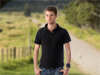
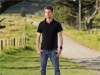
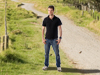
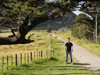
1. Extreme Close Up (ECU) - A shot of just the eyes or just the mouth for example. It gives little to no view of the surrounding head or object. 2. Close Up (CU) - From the neck to the top of the head. Note - if you need to cut of a person's head, it is better to cut off the top of the head than the chin. 3. Medium Close Up (MCU) - From the bust to the top of the head. Also called a bust shot. 4. Medium Shot (MS) - Also called a waist up shot because it is just that. A shot of a person from just below the waist, to the top of the head. 5. Medium Long Shot (MLS) - From just below the knees to the top of the head. 6. Long Shot (LS) - A shot of an entire person. There should be just a little more room between the top of the head and the top of the frame than there is between the bottom of the feet with the bottom of the frame. 7. Extreme Long Shot (ELS) - Just about anything wider than a long shot. It can be a person standing in front of an entire building or the whole city block for example.
Composition - How things are laid out in the frame. 1. Head room - Proper head room is not cutting off the top of the head or putting too much space between the top of the head and the frame. Example here:
2. Lead room - If a person is looking left or right, you want to adjust the frame so there is more space between their nose and the edge of the frame. This is also necessary if the person or subject is moving, you want to leave space in front of them to show where they are moving to. 3. Rule of thirds - Split the frame into third both horizontally and vertically and use on of the point where the lines cross to put your subject. This make your shot less boring because things aren't dead center in the frame. Lighting - There are just a couple things I would like to point out about lighting in the field. 1. Back lighting - This happens when the background is brighter than your subject. It can happen if the sun is behind your subject and not being lit properly or just if a dark person is standing in front of a white wall. There are a couple of ways to compensate for this. (1) Move the person so they are slightly facing the sun or light source or move them away from the brightly colored wall. or (2) Manually adjust the brightness of the camera so the person's face is bright enough to see. In this case, the background will still be really bright, but at least you will be able to see their facial expressions. 2. Using light from the sun and bounce cards - The best way to get good light with out lights, is to just use what God has provided. Have your subject slightly face the sun (not head on, they may squint) and then use a white piece of poster board to reflect or bounce the sunlight back onto the shadows of your subject. This will result in 2 point lighting on your subject. You can also buy professional reflectors with both white and silver reflective surfaces. My favorites are here: Impact 22" and 32". Audio - The microphone that comes standard on your camera can have very poor audio. There are two ways to make the best of this. 1. Buy another microphone - If your camera has an external microphone input, (it will look like a headphone jack, but have a microphone symbol) you can buy a decent unidirectional or shotgun microphone at B&H Photo Video . It costs about $149 and when you use it, just remember to point it in the direction you want to hear. 2. Go to a quiet place - If you have to use the microphone on the camera, try and find a quiet place to record interviews or people talking. That way, during editing, you have the option of filtering out hum or background noise from the audio and you can also hear the person better. White balance - Make sure white it white. Different types of light sources, give off different color temperatures (or different colors). If you don't white balance the camera properly, your outside shots will look blue and your inside shots will look yellow. If your camera is in "auto" mode this will probably be done for you, but if you are using "manual" mode or you just want to make sure your shot is colored properly, examine your camera's manual and set the white balance for indoor or outdoor. Taping for the web (if applicable) - Remember, if the video you are shooting for is going to end up on the web, the viewable area will be considerably smaller than even a normal TV. To compensate for this, it is best to keep your shots closer. Try to stick to Medium Shots to Close Ups for interviews and other people shots. It is not a bad idea to get a few wider shots (Long shots or Extreme long shots) to cover all the action or show where the action is located within the scene. However, these will be used sparingly in the edit. Addition tips: 1. Use a tripod for steady shots. External Links Media College.com - A great site describing basic framing and shot sizes. Shot sizes - A very simple visual explanation of the 8 basic shot sizes. Mistakes
to avoid - Self explanatory. |
||||||||||||||||||
|
© 2007-2010 tilt 'n pan studios |